Pink Office
Sign in
Start free trial

What's new

Fresh in Pink Office.

We're always building tools to help you run your business. Check back here for the latest updates.

The Products and Inventory page with the Trade, Loan or Borrow dialog open, showing choices for an exchange, a loan or a borrow, the products given and received, and who it was with.
Latest

Your own expense categories, trades and loans, and more

Record a trade, loan or borrow with another consultant in one step, and name your own expense categories instead of using the fixed list. You can also deliver an order a few items at a time, add a custom product without leaving a sale, and type over the price on any line.

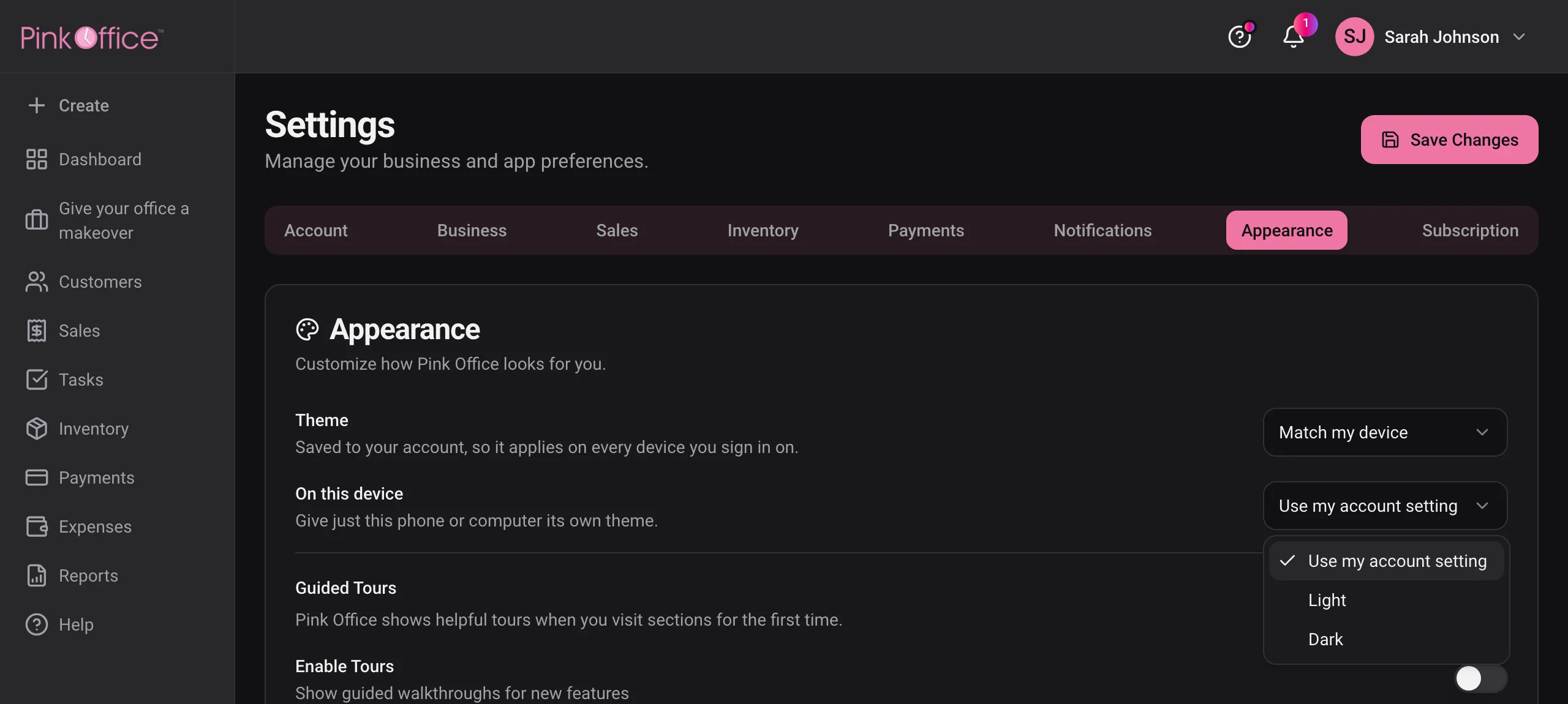
Pink Office Settings in dark mode, with the pink Appearance tab selected and the Theme and On this device menus showing Use my account setting, Light and Dark.

Dark mode

Pink Office now comes in a dark theme that is easy on the eyes in the evening. It follows your phone or computer automatically, or you can choose Light or Dark in Settings under Appearance. Want one device to look different? Set On this device, right below it. Printed invoices always come out on white paper.

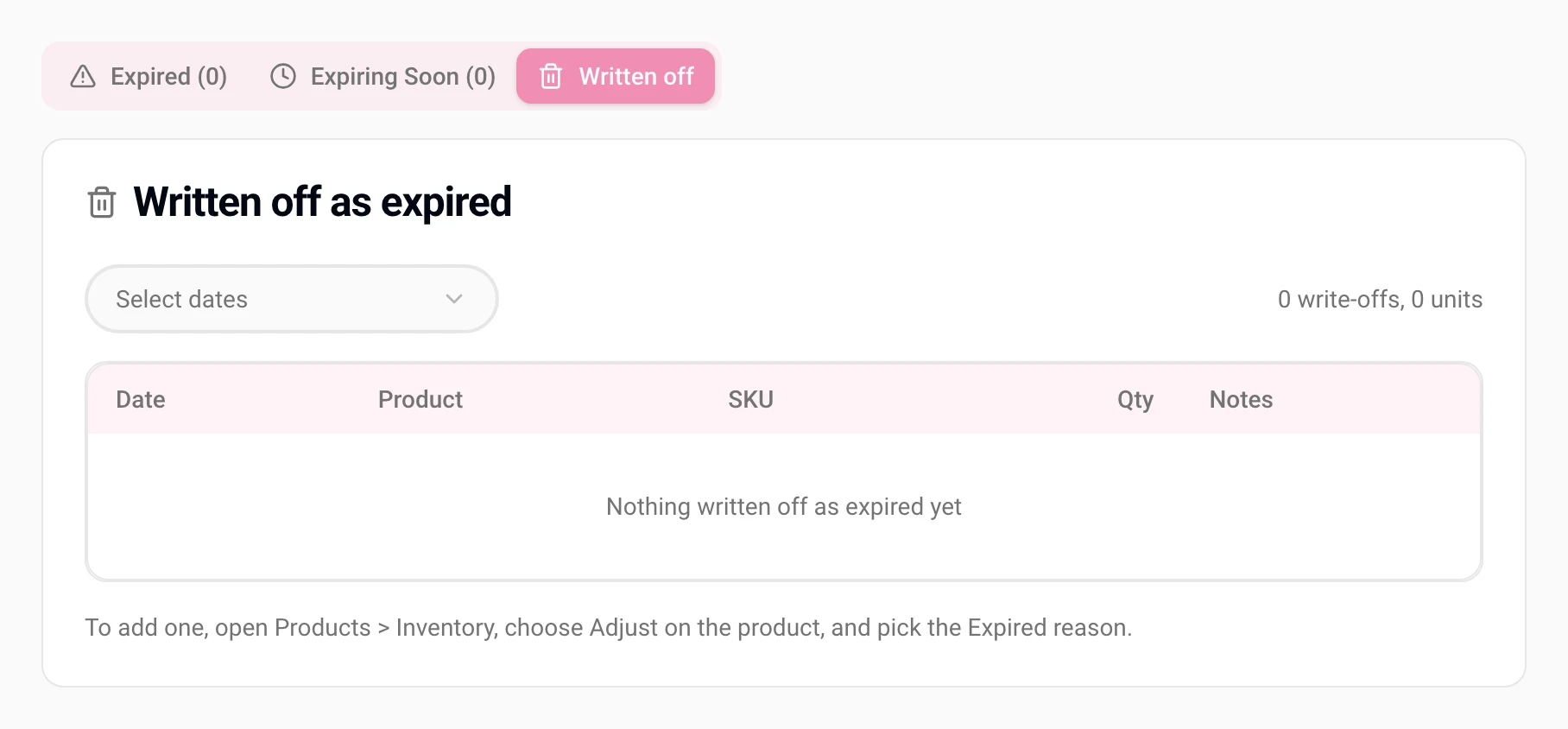
The Written off tab on the Expired Products report, with a date range picker, write-off totals and the table where written-off stock is listed.

A Written off tab on Expired Products and a Help & Support menu

Your Expired Products report now has a Written off tab that lists the stock you wrote off as expired. The help button opens a Help & Support menu, with a dot when there is something new to read.

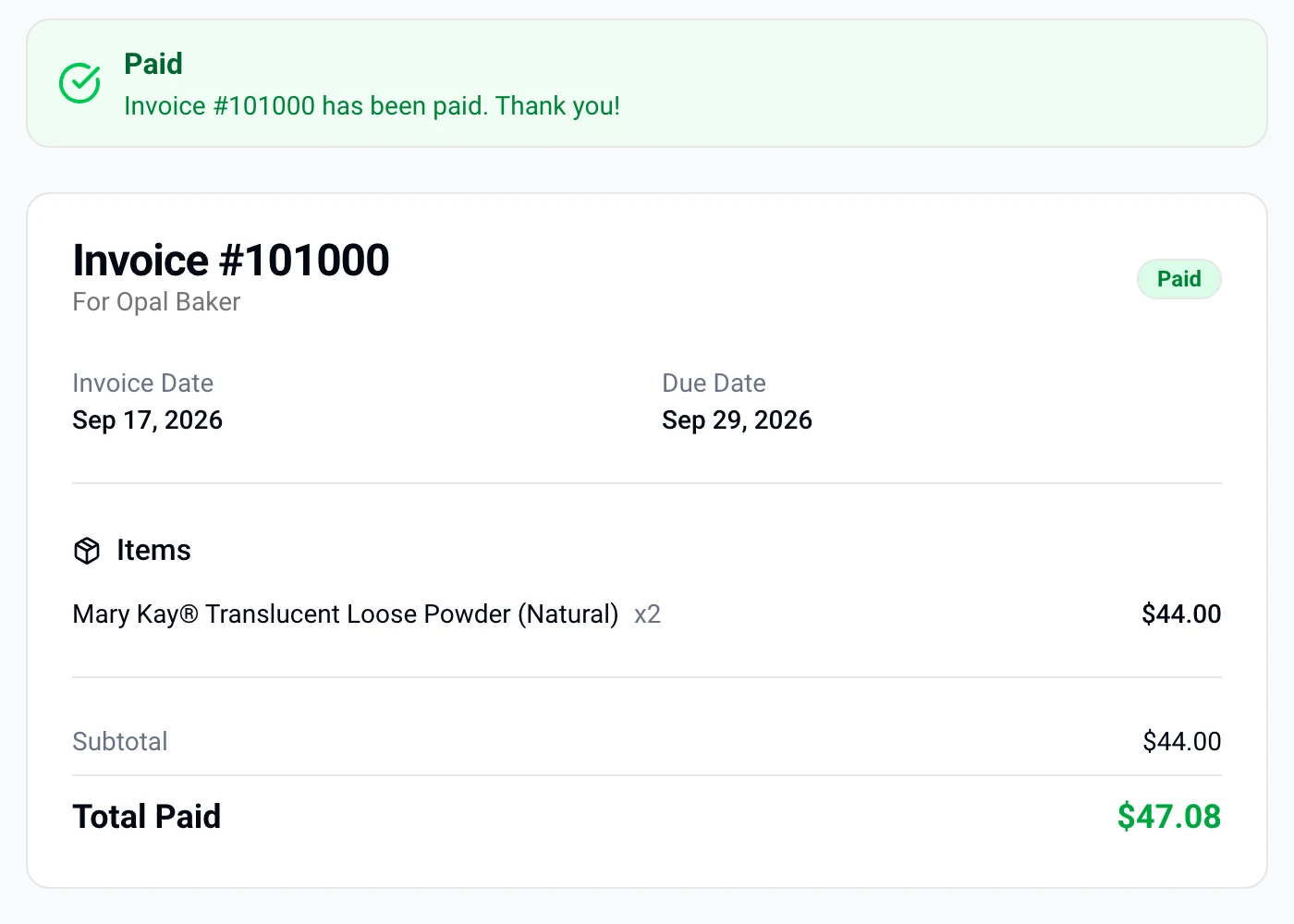
A customer's invoice page showing the invoice paid, with the total paid

Card payments, straight to your own Stripe account

Connect Stripe in Settings and your customers can pay any invoice by card. New connections now set up a Stripe account that is fully yours, with your own Stripe dashboard and payouts to your bank.

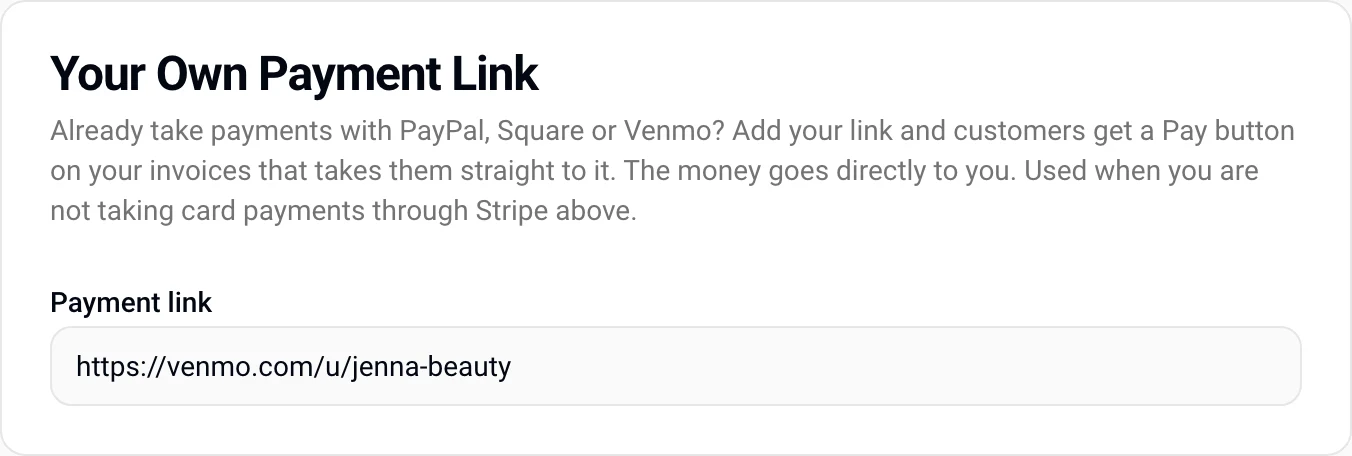
The Your Own Payment Link setting with a Venmo link filled in

PayPal, Square or Venmo? Add your own payment link

Paste your link in Settings and your invoices get a Pay button that goes straight to it. Income you log yourself, like commission checks, now counts on Tax Info and Profit and Loss too.

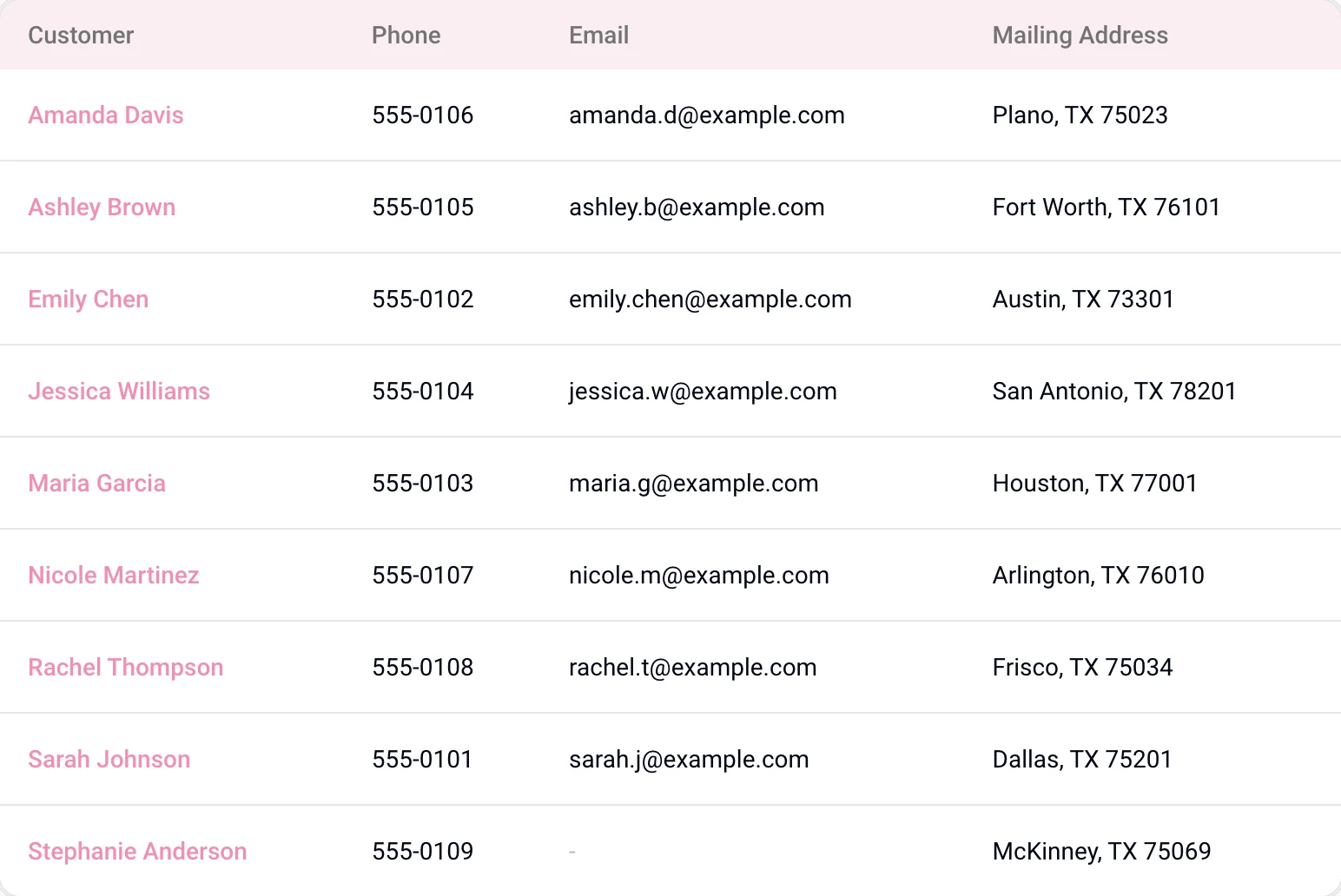
The Customer Directory report listing name, phone, email and mailing address

The Customer Directory

Every customer's phone, email and mailing address in one list you can print or export. Plus a Personal use reason that keeps your inventory accurate.

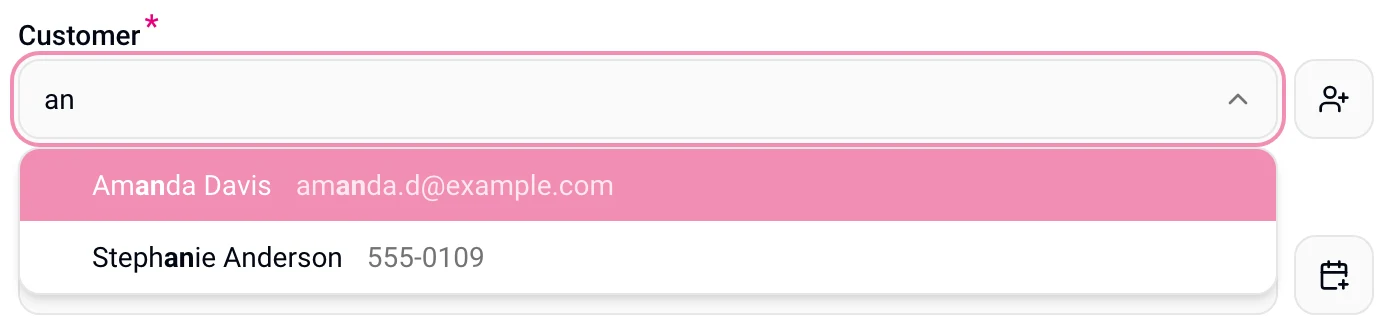
The customer picker showing an email and a phone number beside each matching name

Find the right customer on the first try

Customer and booking pickers now show an email or phone beside each name and bold what you typed, so two customers with the same name are easy to tell apart.

Your finished invoices and purchase orders come with you

Moving over from Classic Pink Office now brings your finished invoices and purchase orders too, so your sales and tax reports are complete from day one.

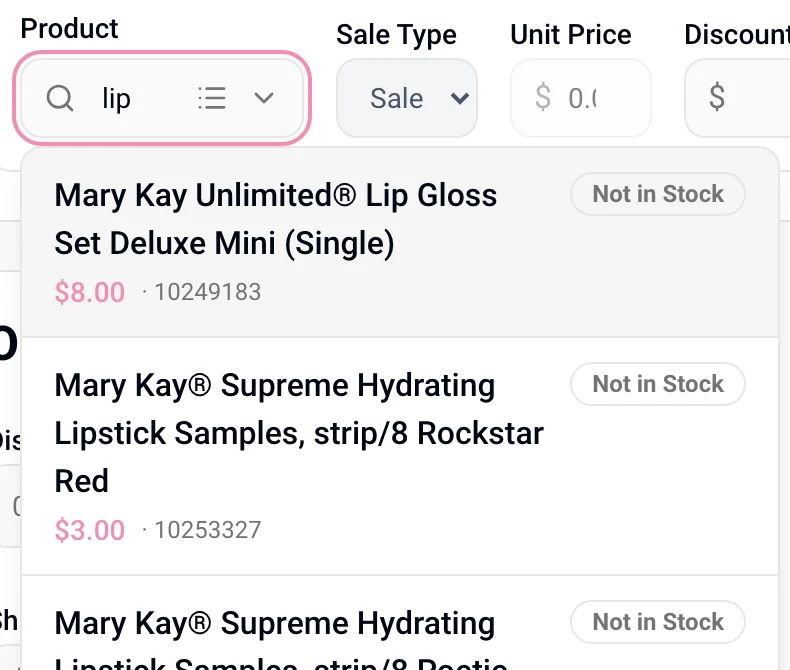
The product picker on a receipt, searching for lip products with price and stock shown

Your own products, right in the receipt picker

When you build a receipt, the product picker searches your custom products right alongside the catalog, with price and stock at a glance.

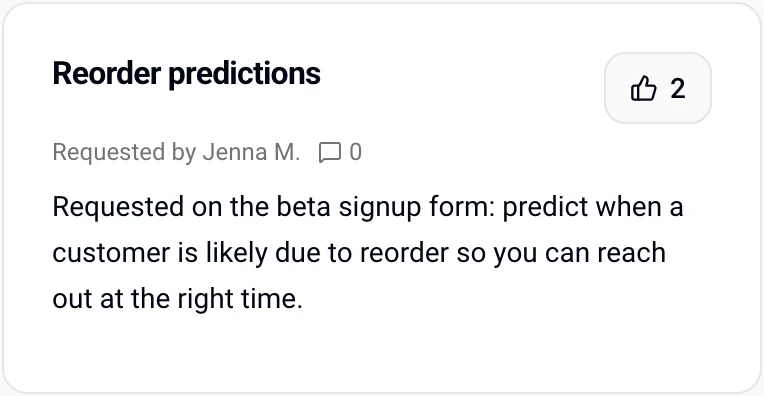
An idea card on the Ideas board with its vote count

Ideas: vote for what we build next

Share an idea from inside Pink Office, see what other consultants have asked for, and vote for the ones that would help your business most.

Ideas

What should we build next?

Many of these updates started as a note from a consultant. Tell us what would make your week easier. Our team reads every idea.